
Edit a Tier Period
The Loyalty platform allows you to edit the properties of an existing custom Tier Period.
To edit an existing custom Tier Period:
-
Select Rules from the top navigation bar, then select Tier Schemes from the side navigation menu. The Tier Schemes screen is displayed.
-
Search for and select the desired Tier Scheme (see
-
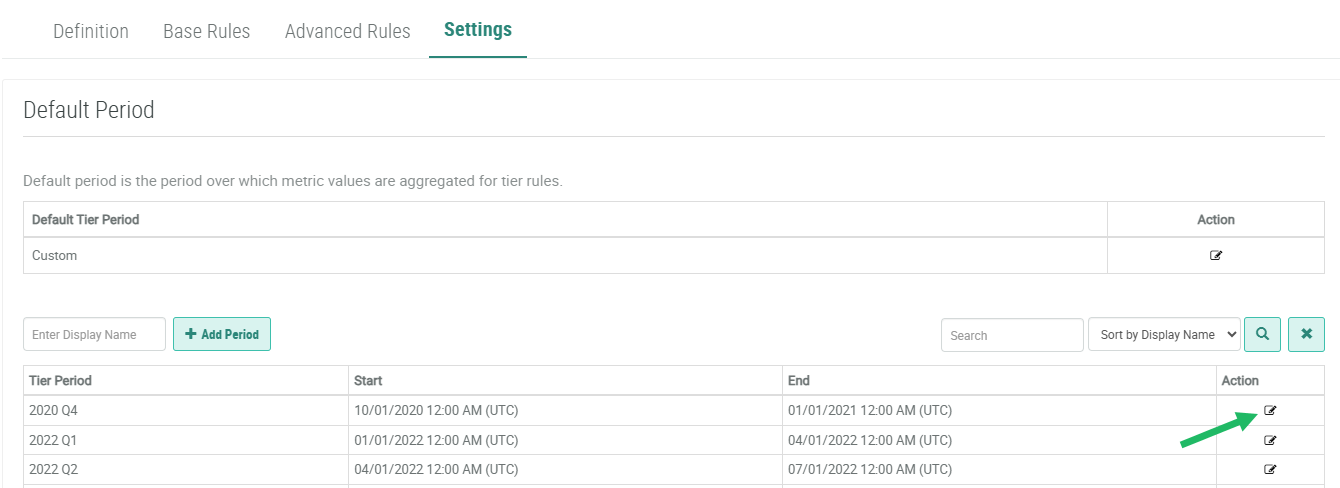
Select the Settings tab.
-
Optionally search for the desired custom Tier Period (see Search for a Custom Tier Period) for more information on the available search options).
-
In the Action column of the desired custom Tier Period, click the Edit icon. The Edit Tier Period pop-up window is displayed.
-
Make the desired edits to the custom Tier Period properties. See Create a Custom Tier Period for more information on these properties.
-
Click Save.
